When “personalized learning” becomes the district’s next promise
It usually starts with a board goal, a grant, or a superintendent message: “personalized learning” will lift results and help teachers reach every student. Then the inbox fills with demos that look adaptive—dashboards, auto-leveled passages, instant recommendations—while principals ask when it will be in every classroom. The pressure is real, because student needs vary widely across reading, language, behavior, and access at home.
The risk is treating “personalized” as a feature instead of a specific student problem you can measure. If you can’t name what should change—minutes in productive practice, better feedback cycles, fewer assignment failures—AI will mostly change how fast content moves, not whether learning improves. The work starts by choosing the need you’re actually trying to personalize for.
Which student need are we actually trying to personalize for?
When a vendor says “we personalize,” the first question is: personalize what, exactly? In practice, districts often mix three different needs: access (can a student read or hear the content), path (what they should work on next), and support (what feedback or scaffolds reduce repeated failure). Those are not interchangeable. A tool that reads text aloud may help a student access grade-level science, but it won’t diagnose why they keep missing multi-step word problems.
Make the need testable by tying it to a visible student friction point. If many students stall after directions, you may be personalizing language load and examples. If students rush and miss fundamentals, you may be personalizing practice pacing and item selection. The narrower the need, the easier it is to pilot and to explain, but the harder it is to sell as a single “personalized learning” solution. Once the need is clear, vendor approaches stop sounding the same.
Three common AI approaches you’ll see in bids—and what they really change
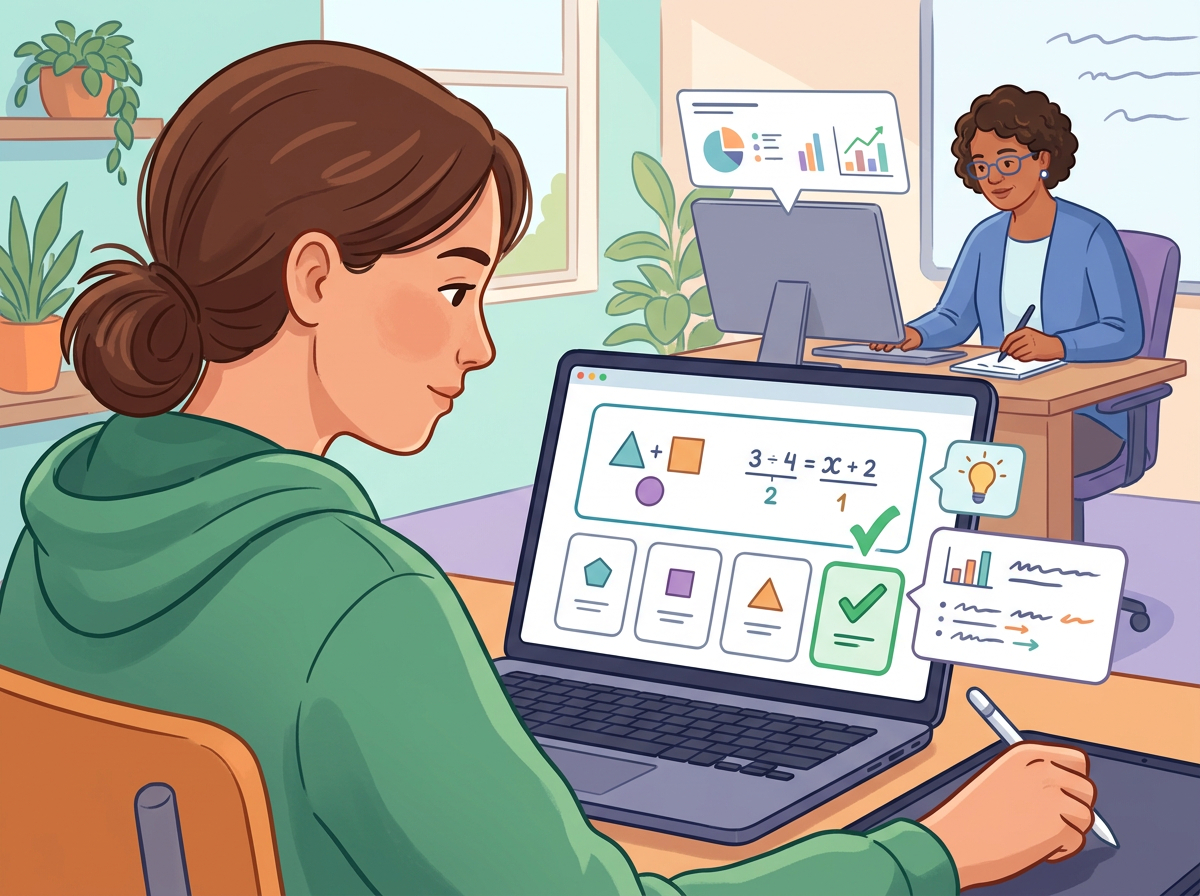
Once the need is clear, the same bid language starts to separate into a few patterns. One common approach is AI “leveling” and recommendations: the system places students on a sequence and suggests the next activity. What it really changes is pacing and assignment flow; you still need a check on whether “next” matches your standards and instructional plan, or you get quiet drift across schools.
A second approach is AI-generated practice and feedback: item sets, hints, and short explanations that adapt to responses. This can tighten the feedback loop, especially for independent work, but it also creates a quality-control job—teachers will see wrong explanations, odd reading levels, or feedback that gives away the answer.
The third is AI tutoring or chat support: students ask questions and get step-by-step help. It changes how often students get “unstuck,” but it raises supervision and safety demands because the tool can produce confident errors. These differences show up quickly in what teachers must do each week.
What the tool will demand from teachers week to week
When a tool starts placing students, generating practice, or tutoring on demand, teachers feel it first in their weekly routines. Instead of “set it and forget it,” most platforms add a new cycle: assign, monitor, intervene, and reset. If that cycle is vague, the tool becomes one more tab that only a few power users touch.
With AI recommendations, the steady work is auditing. Teachers need a quick way to spot when “next up” drifts from the unit, then override it without breaking the student’s path. In practice, that can mean a 10-minute check each Friday plus a norming conversation so two schools don’t define “on track” differently.
With AI-generated practice and feedback, the work shifts to quality control. Someone has to sample items, flag bad explanations, and decide whether teachers can edit, hide, or replace content. The trade-off is time: tighter feedback loops can save minutes in class, but reviewing outputs can consume the same minutes after school.
With AI tutoring, the weekly demand is supervision. If teachers can’t see transcripts, set boundaries, and pull examples for mini-lessons, you can’t manage safety or learning quality.
Before you pilot: the non-negotiables on privacy, safety, equity, and transparency
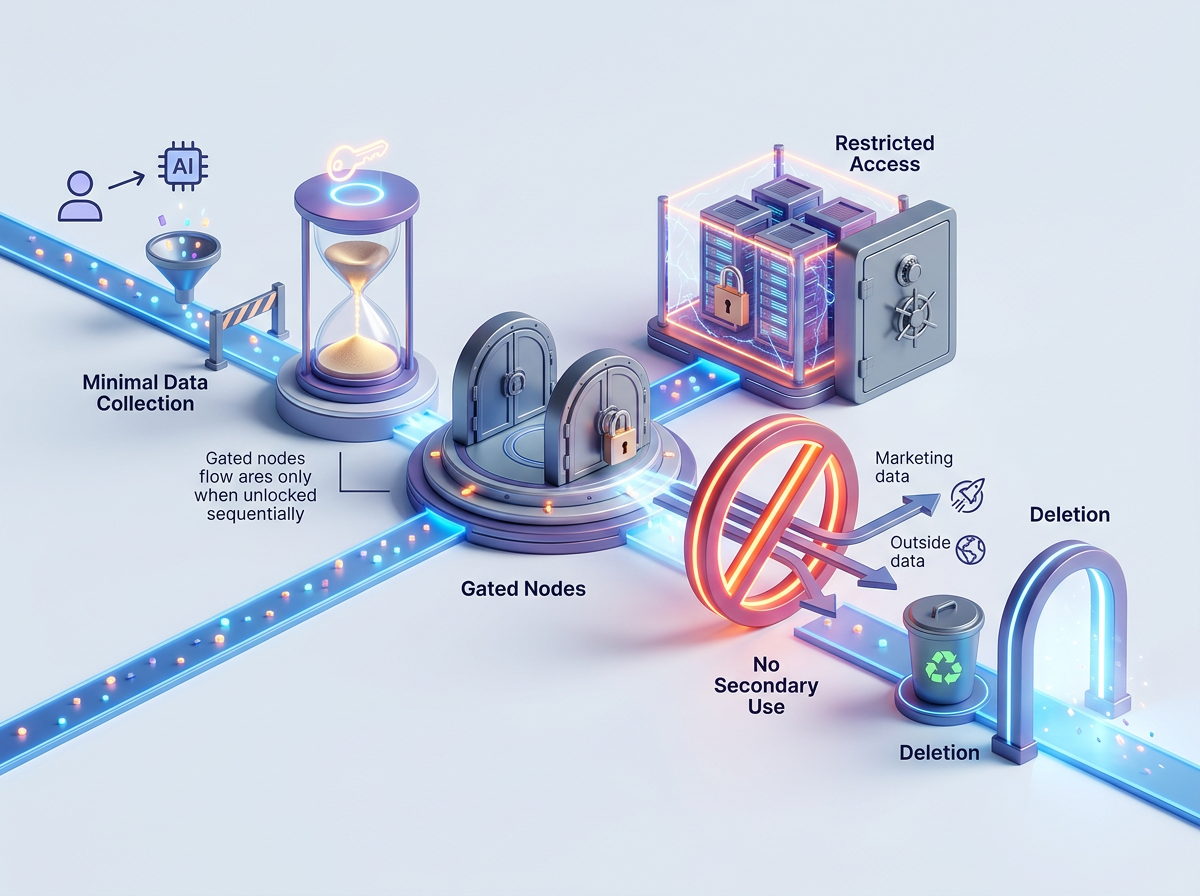
When teachers can’t see transcripts, control boundaries, or pull examples, the same tool that “unsticks” students creates new district risk. Before a pilot, treat privacy, safety, equity, and transparency as go/no-go requirements—not “we’ll improve later.” Start by limiting data: collect only what instruction needs, keep retention short, block secondary use, and require clear breach and deletion terms. If a vendor can’t explain where student data goes and who can access it, the pilot shouldn’t start.
Then lock down safety and oversight: age-appropriate guardrails, blocked topics where needed, visible conversation logs for staff, and a fast path to report, investigate, and disable features. Tighter controls can reduce “helpfulness,” so decide what you’re willing to trade for supervision.
Equity and transparency follow: accessibility, language supports, consistent device/offline expectations, and district-owned reporting that shows what changed for whom. Those become your stop-or-scale triggers.
A pilot you can confidently stop—or justify scaling
Those stop-or-scale triggers only work if the pilot is built to produce a clear answer, not a good story. In a typical “try it in two schools” rollout, usage climbs, a few classrooms love it, and the district is asked to expand before anyone can say what problem improved for which students. Design the pilot so “we’re stopping” is an acceptable outcome, not a failure.
Start with one or two use cases tied to the need you named (access, path, or support) and set measurable targets with dates. For example: “By week 8, students in grades 4–5 using AI-generated practice show a 15% drop in repeat errors on multi-step problems, without increased teacher prep time.” Pair that with a small set of guardrail checks: transcript review samples, item-quality audits, and subgroup outcomes.
The practical friction is staffing: someone must own weekly monitoring and decisions, or the pilot turns into light usage data. If overrides, safety incidents, or uneven access exceed your thresholds, stop. If not, you have the evidence to scale with a straight face.
What changes when you move from one school to district-wide personalization
If the pilot worked, the next request is predictable: “Can we turn it on everywhere?” At district scale, the main change is that “teacher choice” becomes a consistency problem. If two schools use different settings, different content libraries, or different override habits, you can’t interpret results and you can’t explain inequities when families compare experiences.
Expect new operational work. You’ll need shared defaults (guardrails, pacing rules, reporting definitions), a district content review path, and a small team that can answer tickets about odd recommendations or unsafe tutoring outputs in days, not months. The trade-off is speed: tighter standardization slows local experimentation, but it’s what makes outcomes and risk manageable across schools.
Scale only when you can name what gets centralized, what stays teacher-controlled, and who owns the weekly decision loop.