Why collaboration style matters more than assistant “intelligence”
You can give two people the same “smart” assistant and get opposite outcomes. One person wants a quick draft they can edit; another wants to talk through options, assumptions, and edge cases. If the assistant treats both the same—asking too many questions or not enough—its raw capability matters less than how it collaborates.
Collaboration style shows up in small choices: whether you lead with an answer or with clarifying questions, whether you surface uncertainty early, how often you check for approval, and how you pace the work. Adaptation doesn’t mean mind-reading. It means using obvious signals in the conversation to choose a working mode, while accepting real costs: extra turns, slower speed, and occasional “wrong mode” moments that require a simple reset control.
The common collaboration styles users slip into during tasks
Watch how people start a task. Some open with a tight command (“Summarize this in five bullets”) and evaluate outputs like a checklist. Others begin with a messy goal (“I’m not sure what I’m asking—help me think”) and treat the assistant like a whiteboard. Both are reasonable; they just call for different defaults in questions, structure, and how much reasoning to show.
A few patterns show up repeatedly. Directive users want speed, minimal commentary, and predictable formatting. Exploratory users want options, trade-offs, and gentle prompting to surface constraints. Some are hands-off editors: “Give me a solid first pass; I’ll fix it.” Others are step-by-step partners who want intermediate checkpoints, especially for high-stakes work like client emails or financial decisions. Switching styles midstream is common, and overfitting to one early message can create friction unless there’s an easy way to say “more detail” or “just do it.”
Signals you can detect without feeling creepy or invasive
A familiar moment: you ask for “a quick email,” and the assistant replies with five clarifying questions. Or you ask to “think this through,” and it drops a polished answer with no discussion. The fix usually isn’t more data about the user; it’s better use of the data already in the thread. The first few turns contain signals that are hard to misread and don’t require inference about identity, personality, or private context.
Look for observable cues: imperative verbs and tight constraints (“in 120 words,” “use this template”) usually mean directive. Open-ended language (“options,” “pros/cons,” “help me decide”) suggests exploratory. Pacing shows up in whether the user accepts a draft and edits it, or keeps asking for intermediate steps. Tolerance for uncertainty shows up in phrases like “best guess,” “cite sources,” or “what assumptions are you making?”
Even these signals can be noisy. People paste long context but still want a fast output, or they ask for options when they really need a recommendation. That’s why adaptation should stay reversible: use lightweight check-ins (“Want a draft or a few approaches?”) and prefer short, explicit controls over silent profiling.
How initiative, depth, and pacing should change by style

Picture two users replying to the same first draft. One says, “Good—ship it,” and only cares that the format matches expectations. The other immediately asks, “What did you assume, and what else could we try?” Initiative should track that difference. With directive users, take the first reasonable path, make only essential assumptions explicit, and offer a single small escape hatch (“Want alternatives?”). With exploratory users, propose a couple of distinct approaches up front, name the trade-offs, and ask one targeted question that meaningfully narrows the space.
Depth is not “more tokens”; it’s choosing what to expose. Step-by-step partners benefit from intermediate artifacts: an outline before a draft, a checklist before a plan, or a quick sanity check before calculations. Hands-off editors usually want a complete pass with clearly marked placeholders, so they can swap details without re-litigating the structure. A real constraint is time: extra checkpoints reduce error risk but add turns and friction, so the assistant should default to the shortest path that still fits the user’s tolerance for mistakes.
Designing user controls that don’t overwhelm the workflow
A common failure mode is burying “mode” behind a settings screen no one visits, then compensating with verbose prompts. Controls work better when they live where the work happens and map to choices people already make: speed versus accuracy, draft versus options, and “ask me” versus “assume reasonably.” A small set of toggles can cover most needs: Detail (short/standard/deep), Initiative (just answer/ask one question/propose options), and Checkpoints (final only/outline then draft/step-by-step).
The key is making changes cheap and visible. A one-line control row under the response is easier than a multi-step wizard, and it avoids the feeling of being “profiled.” Pair each control with a clear effect the user can predict (“Deep = show assumptions and edge cases”) and keep the assistant’s default behavior stable until the user flips something.
Every control adds cognitive load, and too many “quick choices” become another inbox. Treat controls as an escape hatch, not a dashboard: show them when the assistant detects confusion (rapid re-prompts, “too long,” “just do it”), and otherwise stay out of the way.
When adaptation backfires: trust, errors, and power dynamics
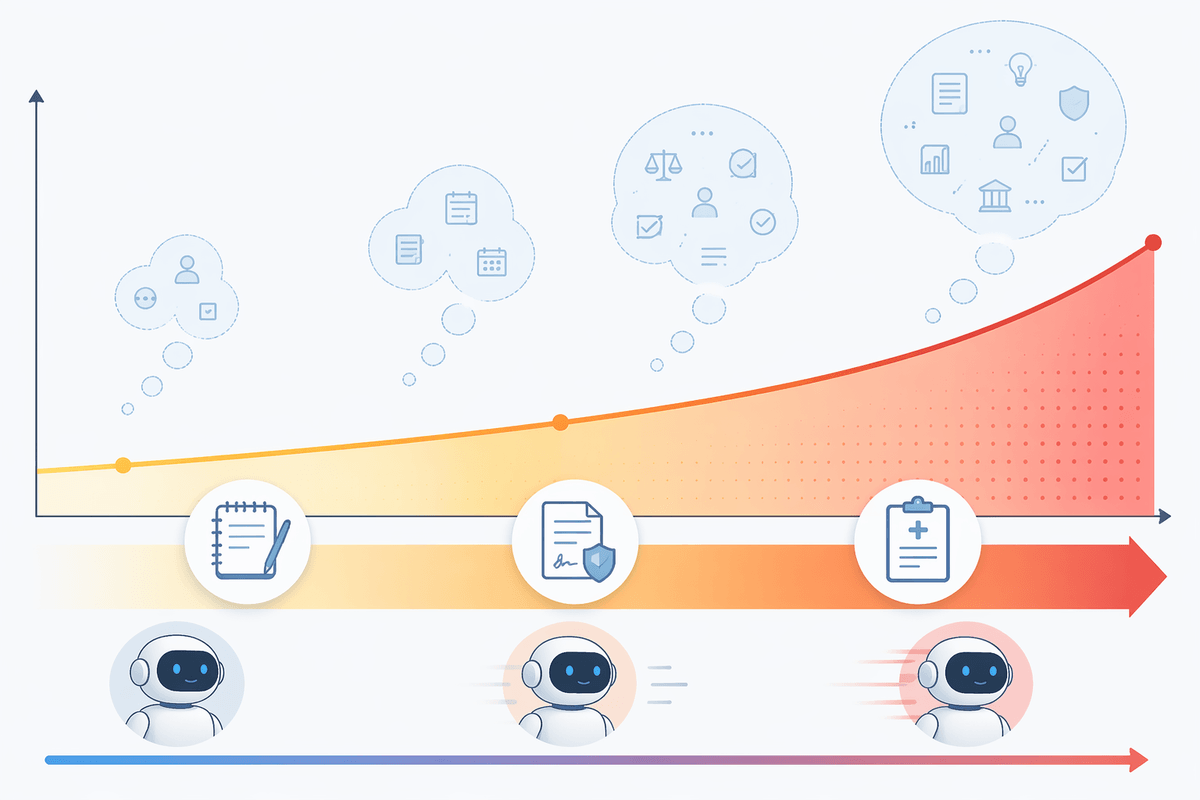
You’ve probably seen the “helpful” version of adaptation: the assistant starts taking bigger leaps, skipping questions, and sounding more certain because the user previously wanted speed. That can quietly raise error rates. A fast-moving mode that works for meeting notes can become dangerous for a contract clause or a medical form, especially if the assistant doesn’t surface assumptions or uncertainty. Even small shifts in tone—more authoritative phrasing, fewer caveats—change whether users double-check the work.
Trust also breaks when adaptation feels like surveillance. People accept behavior changes when they can tie them to what they just did (“you asked for bullets”), not to a mysterious user model. If the assistant references patterns across time or across tools without clear permission, users can’t tell what data is being used, and they start withholding context that would have improved outcomes.
Power dynamics show up when “defaults” become pressure. An assistant that keeps steering toward one option, or that refuses to proceed without extra details, can override a user’s intent. The practical fix is to keep adaptation local to the task, reversible in one click, and explicit about what it’s optimizing for.
Measuring success beyond satisfaction scores and retention
In practice, “did you like this answer?” is a weak metric for collaboration. Directive users may rate outputs highly even when they’re quietly wrong, while exploratory users may rate them lower because they’re comparing options, not consuming a finished product. Retention also blurs causes: people can stay because the assistant is “good enough,” not because it fits their working mode.
More useful measures look like workflow friction and correction cost. Track how often users re-prompt to change depth (“shorter,” “more detail”), how frequently they edit core structure versus swapping facts, and whether they escalate to manual tools. Include error-sensitive metrics: disagreement rates on checked facts, time-to-approval, and how often users trigger a “reset mode” control. Collecting these signals without storing sensitive content requires careful logging design and clear opt-ins.